
In this complete guide, you’ll learn what a forge macro is, how it works, which features are important, how to set one up, and how it can help you progress faster in forging-based Roblox games.
If you’ve ever spent a long time clicking the same buttons in a Roblox forging menu, you know how repetitive and tiring it can get. Crafting and upgrading items often require doing the same actions again and again. That’s why many players look for a forge macro—an automation setup that helps handle repeated tasks quickly and smoothly.
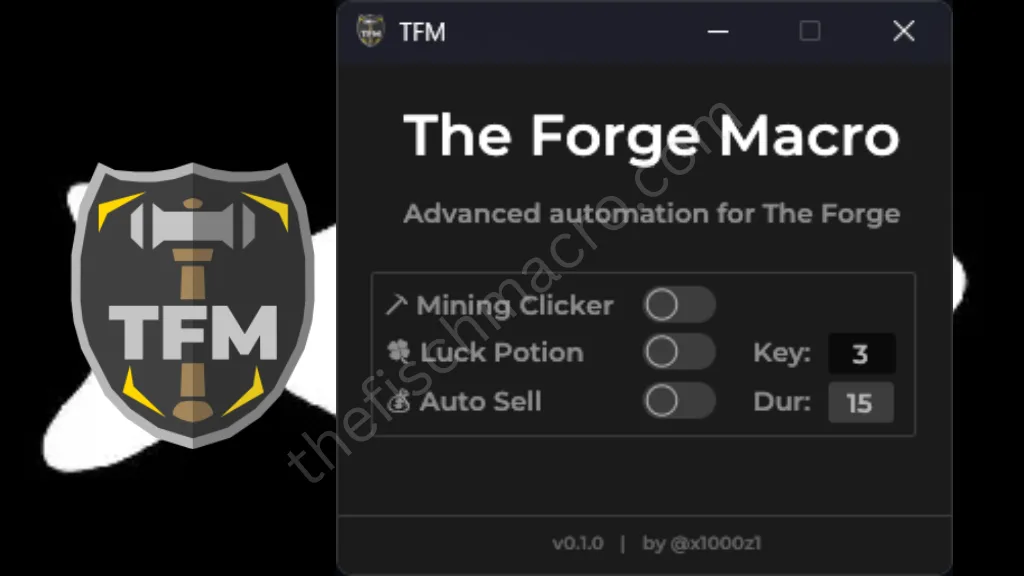
Table of Contents
What Is a Forge Macro?
A forge macro is a simple automation tool that repeats your forging actions automatically. Instead of manually clicking the forge button for hours, the macro records your actions and plays them back in a loop.
This means the system can:
- Craft multiple items continuously
- Repeat forging steps at fixed intervals
- Help gather materials efficiently
- Speed up overall progress
- Reduce hand strain during long sessions
Since forging often involves precise timing and repeated clicks, using automation can make the process much smoother and less exhausting.
Why Players Use Macros in Roblox
Forging systems in Roblox games are fun and rewarding, but they usually require a lot of grinding. A macro like Fisch Macro helps players stay efficient without constantly repeating the same steps.
Here’s why many players prefer using one:
- Saves hours of manual clicking
- Helps level up forging skills faster
- Maintains consistent timing
- Improves overall workflow
- Makes long crafting chains easier to manage
For players who spend a lot of time crafting, automation can significantly improve the experience.
Features of a Good Forge Macro (2026 Update)
The best forge automation tools include helpful features that make crafting faster and easier.
User-Friendly Interface
A clean and simple layout makes setup quick, even if you’re new to automation tools.
Auto-Craft and Auto-Collect
These features are useful for games where you repeatedly:
- Click forge buttons
- Collect completed items
- Restart crafting timers
Custom Keybinds
You can assign a hotkey to start or stop the macro instantly, giving you full control whenever you need it.
Anti-Idle Support
Some tools include basic anti-idle functions that prevent inactivity interruptions during longer sessions.
How to Download and Set Up a Forge Macro
Setting up a forge macro is simple if you use a reliable automation program. Most tools allow you to:
- Record your mouse clicks and keyboard inputs
- Save the recorded actions
- Set a repeat loop
- Assign a shortcut key to control it
Once configured, the macro will repeat your recorded forging steps automatically, helping you progress without constantly clicking.
Recommended Macro Tool: TinyTask
TinyTask is a well-known and beginner-friendly automation program. It’s lightweight, simple to operate, and ideal for creating basic forge automation loops for repetitive tasks.
Official Website: https://www.tinytask.net
Why TinyTask Is Popular for Simple Automation
- Easy record and playback system
- Very small file size
- Works smoothly on most Windows PCs
- No coding or scripting required
- Great for repeating simple forging sequences
Because of its clean interface, even first-time users can create a working macro in just a few minutes.
How to Use TinyTask for Repetitive Forge Actions
Follow these simple steps:
- Install and open TinyTask
- Click Record
- Perform one full forging cycle manually
- Click Stop
- Save the recorded file
- Press Play to repeat the action
Once configured properly, the tool will repeat the same actions with consistent timing, making long crafting sessions smoother and less tiring.
How Automation Improves Roblox Gameplay
When used carefully, automation tools can make repetitive forging tasks much easier to manage.
Saves Time
Instead of manually repeating a 2–3 hour crafting session, you can record the process once and replay it.
Maintains Consistent Timing
Automation repeats actions at the same speed every time, reducing missed clicks and uneven timing.
Helps New Players Progress
Beginners can move forward faster without spending hours clicking through the same crafting menu repeatedly.
How to Choose a Reliable Macro Tool
Not all automation tools offer the same experience. Here are a few important things to check before choosing one:
Device Compatibility
Make sure the program works properly on your operating system (most simple macro tools are designed for Windows).
Easy Setup
A good automation tool should not require scripting knowledge or complex configuration.
Regular Updates
Tools that receive updates tend to stay stable and compatible for longer periods.
Step-by-Step: Setting Up a Basic Forge Automation
If you’re completely new to macros, here’s a beginner-friendly guide:
1. Install a Macro Tool
TinyTask is a simple option for starters.
2. Record Your Forge Process
Perform the crafting sequence once at a steady and natural speed.
3. Save the Recording
Store the file safely so you can reuse it later.
4. Assign a Shortcut Key
This allows you to instantly start or stop the playback.
5. Adjust Playback Speed
Choose a timing that matches the in-game crafting pace. Slower and steady usually works best.
Frequently Asked Questions (FAQs)
What is a forge macro?
A forge macro is a simple automation setup that repeats your forging actions automatically. It helps reduce repetitive clicking and makes crafting or grinding tasks faster and more consistent.
Which tool is recommended for forge macros?
TinyTask is one of the most commonly used tools for basic looping macros. It’s lightweight, beginner-friendly, and easy to configure.
Do I need coding knowledge to use a forge macro?
No, coding is not required. Tools like TinyTask work with a simple record-and-play system, allowing you to create a macro with just a few clicks.
Can a forge macro improve progression speed?
Yes. In games where forging involves repeated actions, automation can help maintain steady timing and reduce manual effort, which may speed up overall progress.
Is TinyTask compatible with all computers?
TinyTask works on most Windows PCs and requires very little system resources, making it suitable even for lower-end devices.
Can I adjust the timing of the macro?
Yes. Most macro tools allow you to control playback speed and loop timing so you can match the natural pace of your in-game forging process.
Final Thoughts
Automation tools like TinyTask can simplify repetitive forging tasks by recording and replaying actions. When used responsibly and with proper timing, they help save time, reduce strain, and improve workflow during long crafting sessions.